Hey there, folks. If you’ve been poking around 3D printing lately, you’ve probably heard resin printers get hyped for those crazy detailed miniatures, tight-fitting parts, and super smooth finishes. We sell a ton of these bad boys here, so I’ve talked to hundreds of makers, small business owners, and hobbyists who’ve loved their resin printers — but also a bunch who ran into headaches they didn’t see coming. Let’s cut through the marketing fluff and talk real, messy downsides of resin printers, straight from a guy who’s on the supplier side and hears every win and fail day in and day out. Resin 3D Printer
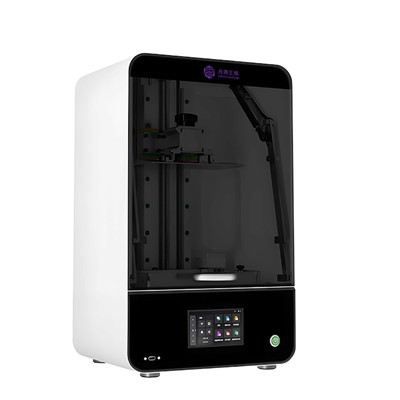
First off, let’s get the obvious one out of the way: resin printers are way more high-maintenance than your average FDM printer. I see this all the time — someone comes in, gushes about how FDM printed their last project, and thinks “I’ll just grab a resin one and be set.” Nope, not even close. FDM spools just sit there, you jam it in, hit print, and walk away (mostly). Resin? That stuff is liquid plastic, and it hates being treated rough, or sitting around, or being exposed to light. Let’s break it down: you can’t just leave a vat of resin in the printer for days, not if you want it to not turn into a weird, sticky rock. I had a customer last month who left his vat in the printer over the weekend (he forgot) — came back, and the vat was basically a solid block. He had to throw out the vat AND a bunch of his build plate, and the whole mess took him a whole afternoon to clean. That’s not a FAD problem. Even when you’re printing, you’ve got to level the build plate exactly right — like, way more precise than FDM. If it’s just a tiny bit off, your print will either stick way too hard and tear when it lifts (that’s called layer separation, and it’s brutal) or not stick at all, meaning you wasted a whole print job. FDM has a little wiggle room; resin doesn’t.
Then there’s the cleanup. Dude, the cleanup is a whole production. You print something, and it’s covered in that sticky, uncured resin gunk. You can’t just grab some isopropyl alcohol and scrub on it — wait, actually you can, but you’ve got to do it for like 10 minutes per part, and make sure every last nook and cranny is clean, otherwise your post-cure will be wonky. And let’s not forget, that gunk is toxic if it gets on your skin. It’s not like touching a hot FDM print — this stuff will sit in your fingers, and if you don’t wash it off right, it can cause irritation. I had a new hobbyist order a resin printer last quarter, and he texted me 2 days later panicking because his hands were red and itchy. Turns out he printed a bunch of miniatures, didn’t wear gloves, and skipped the alcohol bath. Post-curing is another step too — you’ve got to throw the part in a UV chamber (or a DIY box with LED strips, but that’s a hassle) for like 5 to 10 minutes, depending on the part size. That’s extra time you don’t have with FDM, where a part is done once it’s off the bed. For someone cranking out parts for a small business, that’s hours of extra work every week.
Next big one: resin is way more expensive than FDM filament. Let’s do quick math here. A 1kg spool of PLA or PETG FDM is like $20-$30, right? A 1L bottle of standard gray resin is around $50-$70. And wait, 1L of resin doesn’t make the same amount of parts as 1kg of filament. Resin is denser — like, a lot denser. 1L of resin is about 1.1kg, so you’re paying way more per gram of actual plastic. Throw in specialty resins? Like, if you need a tough one for functional parts, or a flexible one for seals, or a clear one for display pieces? That’s $80-$120 a liter. I had a customer who runs a small custom jewelry business — he switched from FDM to resin because the details are sharper, and he was shocked when his monthly material cost went up 3x. He thought he’d make more profit, but between resin and extra supplies (alcohol, replacement vats, gloves), he ended up breaking even for the first 3 months. Also, you can’t reuse leftover resin from the vat. If you have 100ml left after a print, you can’t just save it for next time — it’ll cure in the bottle if you don’t seal it airtight, and even then, it degrades after a few months. That’s wasted money, no way around it.
Oh, and part size. Resin printers, for the most part, have tiny build volumes. Like, the cheapest resin printers I sell have a build plate of like 120x68mm — that’s barely bigger than a sheet of A5 paper. The mid-range ones go up to like 200x200mm, but that’s still way smaller than a lot of FDM printers, which can do 300x300mm or more. So if you need a big part — like a custom laptop case, or a sign, or a replacement part for a lawnmower that’s a foot long — resin printers are not your move. You have to either split the part into pieces and glue them together, which adds steps and can leave ugly seams, or buy a huge industrial resin printer that costs $10k+, which is way out of reach for most small makers. I had a guy come in last year wanting to print a full-size wooden shelf bracket that’s 18 inches long. He tried our largest resin printer, and we had to split it into 4 pieces. That meant designing the part properly with snap fits, printing each one, cleaning them, gluing them, sanding, and painting. Took him 2 full days. If he’d had a FDM printer, he could’ve done the whole thing in an hour and a half.
Then there’s the light source thing. Most resin printers use DLP or LCD screens to shine UV light and cure the resin layer by layer. Those screens (the LCD or the DLP projector) don’t last forever. Like, the LCD panel in a budget resin printer — it’s like a phone screen, basically — will start to get “burn-in” after 1000-2000 hours of use. Burn-in is when pixels go dim, so your prints get weird, splotchy areas that aren’t cured all the way. And replacing that LCD screen? It’s like half the cost of the printer. I had a customer whose printer was only 14 months old, and he printed 3 times a week for a few hours each. Burn-in hit, and replacing the screen would’ve cost him $200 for a $350 printer. He just bought a new printer instead. DLP projectors are even worse — they’re way more expensive to replace, and they’re way more sensitive to dust. A single speck of dust on the projector lens will leave a permanent dark spot on every single print until you clean it, and even then, sometimes it leaves a mark. FDM parts don’t care if there’s a dust bunny near the nozzle (most of the time, anyway); resin parts do. That’s another hidden cost people don’t plan for.
Wait, also, the environmental mess. Resin is plastic, obviously, and it’s not like FDM filament where you can recycle most of it at home (some places do, anyway). Uncured resin is a hazardous waste, right? You can’t just pour leftover resin down the drain, or throw empty resin bottles in the trash, or pour used alcohol (that has uncured resin in it) down the sink. You’ve got to dispose of that stuff properly, and that costs money. I had a customer who runs a maker space — they had a 5-gallon bucket of used resin alcohol, and they had to pay $150 to have a hazardous waste company come pick it up. That’s a cost you don’t have with FDM, where you can just recycle old spools at a local hardware store or mail them off for free. Also, when you’re printing resin, you’re emitting volatile organic compounds (VOCs) into the air. Those fumes aren’t great to breathe in — they can give you headaches, or make your eyes burn, especially if you’re printing a lot. You can’t just print in your living room; you need a well-ventilated space, preferably with a fume extractor. Those extractors are like $100-$200, and if you skip them, you’re exposing yourself to stuff you don’t want around. FDM printers emit fumes too, but most are non-toxic (if you use food-safe filaments, for example) and way less intense.
And let’s not talk about failed prints. I’ve seen resin printers spit out so many failed prints, it’s not even funny. Because everything is so precise, one tiny thing can mess up a whole job. Leveling off? Off. Resin not mixed right? Yeah, that happens, especially if you’re using an old bottle that settled. UV light intensity wrong? You get under-cured parts that bend or break when you touch them. One customer told me he had 8 failed prints in one weekend — that’s like $400 in resin wasted, plus all that time. With FDM, a failed print is usually a layer that lifted or the stringy plastic, and you can start again in 10 minutes. Resin? You have to take the part off, clean the vat, re-level, make sure the resin is good, and hope the next one works. That’s hours down the drain.
Wait, I should add one more thing: compatibility and learning curve. A lot of people think “I have Blender, I can just export an STL and print it.” Not with resin. Resin printers need really specific settings. Layer height? For miniatures, you do like 0.02mm, but for functional parts, you might go up to 0.05mm, and if you get that wrong, it’s garbage. Exposure time? If your layers are 0.02mm, you need 2 seconds of UV light; if it’s 0.05mm, you need 4 seconds. Get that off, and the layer either doesn’t cure or cures too hard and tears. Support structures? Resin prints need supports everywhere — tiny ones, on every overhang, even ones that don’t matter for FDM. And if you design supports wrong, you’ll tear your print when you remove them, leaving ugly scars. FDM supports are way easier to remove, or even skip sometimes. That learning curve is steep, and a lot of new users give up after a few failed prints because they thought it’d be like FDM, which is way more forgiving.
Now, that’s not to say resin printers suck. I sell them because they’re amazing for the right job — miniatures, custom jewelry, small detailed parts, prototypes that need super smooth finishes. But if you’re not prepared for all these downsides, you’re gonna be frustrated. Let’s be real, I want you to be happy with your purchase, not come back mad because you didn’t know what you were getting into. If you’re a hobbyist printing miniatures once a month, that’s one thing. If you’re a small business owner cranking out 50 parts a week, you need to plan for the extra time, cost, and maintenance.
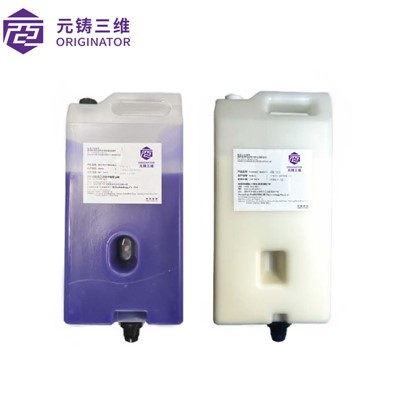
If you’re tired of guessing what’s right for your projects, or you’re ready to get a resin printer and want to chat through what setup would work for you, hit us up for a procurement consultation. We don’t do pushy sales, we just walk through your needs, budget, and what you’ll actually be printing so you don’t end up with a printer that doesn’t fit. No weird hidden fees, no B.S. — just straight talk about resin printers, the good and the bad, and help getting set up if you decide to go for it.
Jewelry 3D Printer References
- 3D Printing Industry. "Resin 3D Printing: The Pros, Cons, and Applications for 2024."
- Wohlers Associates. Wohlers Report 2023: Additive Manufacturing and 3D Printing Global State of the Industry.
- ASTM International. "Standard Guide for Measuring Emissions from Additive Manufacturing Processes."
- Formlabs. "Resin 3D Printer Maintenance Best Practices for Consistency and Longevity."
- MakerBot. "FDM vs. Resin 3D Printing: Key Differences for Makers and Small Businesses."
Hangzhou Originator 3D Technology Co., Ltd.
Hangzhou Originator 3D Technology Co., Ltd. is one of the most experienced resin 3d printer manufacturers and suppliers in China. With abundant experience, we warmly welcome you to wholesale high quality resin 3d printer made in China here from our factory. Contact us for more details.
Address: Room 403, Building 2, Block B, Heda Incubation Park,No. 452, 6th Avenue, Xiasha, Qiantang District,Hangzhou, Zhejiang, China
E-mail: Sales@originator3d.com
WebSite: https://www.originator3d.com/
