Let’s cut through the noise for a sec—if you’re deep in the CNC turning game (or just testing the waters), you’ve probably heard people geek out over CAD/CAM software, but no one’s breaking down exactly why it’s not just another “shiny tool” for your turning center. As someone who’s been supplying CNC turning centers to shops big and small for over a decade, I’ve seen guys sink tens of thousands into a brand-new lathe, only to miss out on 30% of its potential because they paired it with the wrong CAD/CAM. Let’s talk about what this software actually does, how it works with a turning center specifically, and why it’s non-negotiable if you want to make parts that are tight, fast, and profitable. CNC Turning Center
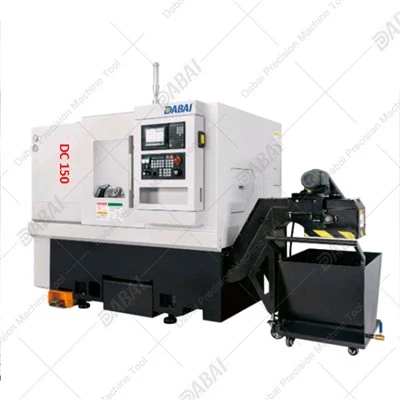
First, let’s get the basics straight because way too many folks mix CAD and CAM up like they’re the same cheap beer. CAD stands for Computer-Aided Design—this is where you draw the part, right? If you need a custom shaft for a farm implement, a precision bushing for a medical device, or a weirdly shaped fitting for industrial plumbing, CAD is where you build the digital blueprint. You sketch the shape, input exact measurements, add tolerances (you know, that “this part can’t be off by more than 0.001mm” stuff that makes engineers lose sleep), and basically make a 3D (or sometimes 2D) model that’s your part, in digital form. But here’s the catch: a blueprint sitting on your computer screen doesn’t tell your CNC turning center what to do. That’s where CAM comes in—Computer-Aided Manufacturing, the middleman that turns that pretty drawing into a language your lathe actually understands.
Now, let’s get specific to turning centers, not milling machines, because that’s where most of the confusion happens. A CNC turning center is a lathe, for people who didn’t grow up in a machine shop: it spins the part at high speeds, and a cutting tool moves along two axes (X and Z, mostly) to cut, drill, or shape the material into whatever you designed. Without CAM software, you’d have to write every single line of code (called G-code) manually. For a simple part, maybe that’s 10 lines of code, but for a complex part—like a threaded bolt with a tapered head, or a part with a internal bore and a custom groove—you’re looking at hundreds, maybe thousands of lines. Write one wrong number, and you’ll crash the cutting tool into the part, wreck a $500 end mill, or worse, break a $10,000 insert. I’ve had customers come to me after burning a new turning center because their old guy wrote G-code by hand and messed up the Z-axis offset. That’s not just a headache—it’s money lost.
So what does CAD/CAM do for your turning center, step by step? Let’s walk through a real example, like a small batch of custom aluminum spacers for a robotics client. First, the design engineer uses CAD to draw the spacer: 20mm outer diameter, 15mm inner bore, 5mm thick, with a 1mm chamfer on both ends. They set tolerances to +/- 0.02mm, because this spacer has to fit a tight assembly. Now, they export that CAD file into the CAM software. This is where the magic (but not the “too good to be true” kind) happens. The CAM tool sees that 3D model and figures out the safest, fastest way to cut it on your turning center.
For turning specifically, CAM software lets you select what kind of material you’re cutting—aluminum here, so it can suggest spindle speeds and feed rates that won’t melt the tool or cause chatter (that annoying vibration that leaves rough edges). It lets you pick the tools: a roughing insert to take off the bulk of the material, a finishing insert for the smooth bore, a facing tool to trim the ends. Then, it simulates the whole process on screen—you get to watch the turning center cut the spacer in digital form, before you ever load a piece of real aluminum. If there’s a collision (like the tool holder hitting the chuck), the simulation flags it before it’s a real problem. That’s a game-changer, especially when you’re running high-value materials like titanium or stainless steel.
Wait, and it does more than just turning, right? A lot of modern turning centers have live tooling—little drill or mill attachments that can cut slots or holes while the part is still spinning. CAD/CAM software lets you program that live tooling too, so you don’t have to re-fixture the part (saving time and reducing error) when you need a cross-drilled hole or a milled flat. I had a customer last year who was making car engine parts with live tooling on their turning center—before they used CAD/CAM, they were spending 45 minutes per part switching between lathe operations and a separate mill. With CAM, they cut that down to 8 minutes per part, and scrapped rates dropped by 12% because the code was consistent.
But not all CAD/CAM is built for turning centers, and that’s where people waste money. A lot of general-purpose CAM software works for milling but struggles with the tight, single-axis (wait, no—turning is X and Z, but the part is rotating) logic that lathes need. They’ll mess up things like thread cutting cycles or grooving paths, and that leads to bad parts. The good CAD/CAM tools for turning are built specifically for that workflow—they have pre-loaded turning-specific tool libraries, built-in threading calculators, and simulation that accounts for the way the part spins. For example, if you need to cut a 1/2-20 UNF thread, a turning-specific CAM tool will auto-generate the correct pitch and depth for each pass, no manual calculation needed. I always tell customers: if your CAM software can’t handle a left-hand thread on a 3-inch diameter shaft without you fumbling with settings, it’s not the right fit for your turning center.
Another big thing: post-processors. Let’s keep this simple— a post-processor is the piece of the CAM software that translates the internal toolpath design into actual G-code that your specific model of CNC turning center understands. Every brand of lathe ( Haas, Okuma, DMG Mori, even the cheaper Chinese ones) uses slightly different G-code syntax, and if your post-processor is wrong, the code will either run weirdly or not at all. A lot of cheap CAM tools come with generic post-processors that don’t account for your turning center’s quirks—like how your machine’s spindle speed override works, or its tool change sequence. The best CAD/CAM for turning lets you customize or build a post-processor for your exact machine, so you don’t have to spend hours tweaking G-code after it’s generated. I’ve seen customers go through three different CAM tools before they found one with a good post-processor for their 5-year-old turning center—don’t be that guy.
Now, let’s talk about the common mistakes I see shops make with CAD/CAM and turning centers. First, they buy the fanciest CAD/CAM on the market because a friend said it’s “the best,” but it’s overkill for their small batches. If you’re running 10 simple parts a week, you don’t need a $10k CAD/CAM suite with 50 features you’ll never use. A mid-tier tool that’s built for turning will do everything you need, and it’s way more affordable. Second, they skip the simulation step. I get it—you’re in a rush to get parts out, so you load the first run of G-code into the machine. But simulation catches 90% of the stupid mistakes that cause crashes, and most CAD/CAM tools have basic simulation for free with the license. Third, they don’t update their post-processors or the CAM software when they replace their turning center. If you buy a new lathe, don’t just keep using your old post-processor—work with your CAM vendor to adjust it, or you’ll have parts that are off by a hair, or even a crash.
Wait, and what about small shops or guys just starting out? I know a lot of you are running a single used turning center out of a garage, working on custom parts for local contractors. You don’t need a fancy CAD/CAM team, but you still need the right software. There are affordable, user-friendly tools (even some cloud-based ones) that let you draw the part, drag and drop turning operations, and generate G-code without needing a degree in CNC programming. I had a customer who started in his garage with a 1998 Haas turning center, and he was using a free CAD tool for 2D drawings, then a cheap CAM tool built for turning. Within two years, he had 5 employees and three more lathes—he said CAD/CAM was the only reason he could take on those tricky custom jobs without hiring a programmer.
Let’s circle back to why this matters, especially if you’re investing in a CNC turning center. I sell a lot of turning centers, and every time a customer comes to me asking “what software should I use?” I don’t push the most expensive option. I ask them what parts they’re making, what their batch sizes are, what their tolerance requirements are. Because CAD/CAM isn’t just an add-on—it’s half of your CNC setup. You can have a $50k turning center that’s a powerhouse, but if your CAD/CAM is garbage, you’re only using it at 50% capacity. And in this game, 50% capacity means you’re leaving money on the table, and you’re wasting time that you could be spending on new jobs.
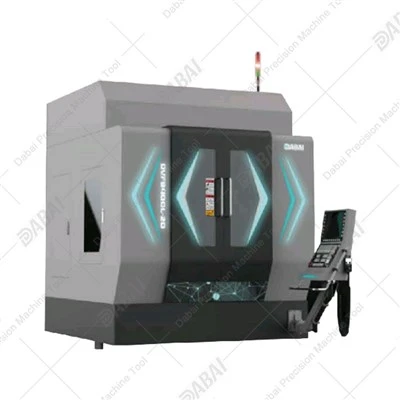
So, if you’re shopping for a CNC turning center right now, or you’re looking to upgrade your software to make your current lathe work better, stop treating CAD/CAM like an afterthought. It’s the bridge between your design and your machine, the safety net that prevents crashes, and the tool that lets you make parts faster, more accurately, and with less headache. If you’re not sure which CAD/CAM tool pairs best with the turning center you’re looking at, or if you want to talk through what works for your specific shop’s needs, reach out—we can walk through it step by step, no sales pitch, no jargon. We just want to make sure you get the most out of every dollar you put into your CNC equipment.
CNC Turning Center References:
- “CAD/CAM Software for Turning Centers: A Practical Guide,” Modern Machine Shop, 2022.
- “G-code Fundamentals for CNC Turning,” SME (Society of Manufacturing Engineers), 2021.
- “Post-Processor Best Practices for CNC Turning Operations,” Production Machining, 2023.
- “Small Business CNC: CAD/CAM Tools for Entry-Level Turning Centers,” Gardner Business Media, 2022.
Dabai Precision Machine Tool (Jiangsu) Co., Ltd.
As one of the most professional CNC turning center manufacturers and suppliers in China, we’re featured by quality products and good price. Please rest assured to buy advanced CNC turning center for sale here from our factory. We also accept customized orders.
Address: No. 66-1, Zhenhu North Road, Hudai Town, Binhu District, Wuxi City
E-mail: elaine@dabaicnc.com
WebSite: https://www.cnc-dabai.com/
